I Need a Website for My Business… Now What?
4 Simple Steps to Get Started
You know you need a website. Maybe a customer asked for your link. Maybe you’re tired of sending people to your Facebook page. Or maybe you just started something new and want it to look legit.
Have you opened Google, typed “how to start a website for your business,” and got buried in hosting, plugins, page builders, and SSL certificates? And then you quietly closed the laptop.
Friend, I get it. I’ve been designing WordPress websites for small businesses since 2008, and “I don’t know where to start” is the thing I hear more than anything else.
Here’s the good news: the people who get stuck aren’t missing tech skills. They’re missing a plan.
So let’s make your plan. Four steps. Zero code.
Prefer to watch? The video walks you through all four steps in about six minutes. Prefer to read? Grab your coffee and keep scrolling.
Why starting a website feels so overwhelming
Most website advice starts in the wrong place. It jumps straight to which platform to use, which theme to buy, or which plugins you need. That’s like picking out curtains before you know how many windows your house has!
The tech is the last thing you need to figure out. Before you build anything, you need to know what your website is for, what it’ll be called, what goes on it, and who’s going to build it. Get those four things sorted, and every other decision gets SO much easier.
Step 1: Decide your website’s ONE main job
Before you think about colors, fonts, or anything pretty, ask yourself this:
What is the ONE thing I want people to do when they land on my website?
Here are a few examples:
- Book a call or appointment: coaches, consultants, salons, and service providers
- Buy something: makers, artists, and product-based shops
- Get in touch for a quote: contractors, photographers, and custom work
- Visit or call: cafes, studios, and other local businesses
Why does this matter so much? Because a website that tries to do everything ends up doing nothing very well. When you know the main job, the rest falls into place. What goes on your homepage? Whatever helps with the main job. Which button gets the spotlight? The one that does the main job. Easy!
Thauna’s tip: Grab a sticky note and finish this sentence: “My website’s main job is to get people to ______.” Stick it on your monitor. You’ll use it for every decision that follows.
Step 2: Grab your domain name
Your domain name is your web address, like bellanowebstudio.com. Grab yours now, even if your website isn’t ready yet, because good names can go fast.
Here’s how to choose a domain name that works hard for you:
- Keep it short. Fewer words mean fewer typos
- Make it easy to spell. Skip creative spellings and double letters when you can
- Do the “say it out loud” test. If you have to spell it every time you tell someone, it’s going to get old fast. Trust me, as someone whose name is Thauna with an H, I know!
- Skip hyphens and numbers. People forget them
- Choose .com if you can. It’s still the one people type by default
- Name taken? Try adding your city or what you do, like yournameceramics.com or yournameutah.com
A domain usually runs about $15 to $25 a year. And one important thing: register it in YOUR name, with your own login. Not your nephew’s, not your designer’s. Yours.
Step 3: Gather your goodies
Want to know the number one thing that slows down a website project?
It’s not the tech. It’s waiting on content. So let’s get your goodies together now.
Here’s what you’ll want:
- Your logo, if you have one. No logo yet? Totally fine. Your business name in a nice font works for now
- A handful of good photos. You, your products, your space, your work. Bright, clear, and recent (we love you, 2009 photos, but it’s time to update!) – Check out this post on how to plan your photoshoot
- A short “about” blurb. A few sentences about who you are and why you do what you do
- Your services or products, with prices if you plan to share them
- A couple of happy customer quotes, if you have them
Toss everything into one folder on your computer. Future you will be doing a happy dance, whether you build the site yourself or hand it off to a designer.
Step 4: Pick your path
There are really three ways to get a small business website:
- Do it yourself. You use a website builder or WordPress and build it on your own. Less money, more time (and sometimes more frustration). Great for testing an idea or a tight budget
- Semi-custom. A designer starts with a polished, professionally designed template and personalizes it with your brand and content. A great fit when you want to look professional fast
- Fully custom. A designer builds your website from scratch around your brand, goals, and plans for growth. The right choice when your website is a big part of how you make or plan to make money
There’s no wrong answer here! It all depends on your budget, your timeline, and how much you actually enjoy tech. (If you’re reading this post, I’m guessing… not a whole lot. And that’s okay!)
Curious what each path actually costs? I break down real ballpark numbers in How Much Does a Small Business Website Cost in 2026?
Quick recap: how to start a website for your business
- Decide your website’s ONE main job
- Grab your domain name
- Gather your goodies
- Pick your path
That’s it! Seriously. You’re already further along than most people who are still “thinking about” a website.
Grab your free Starter Kit
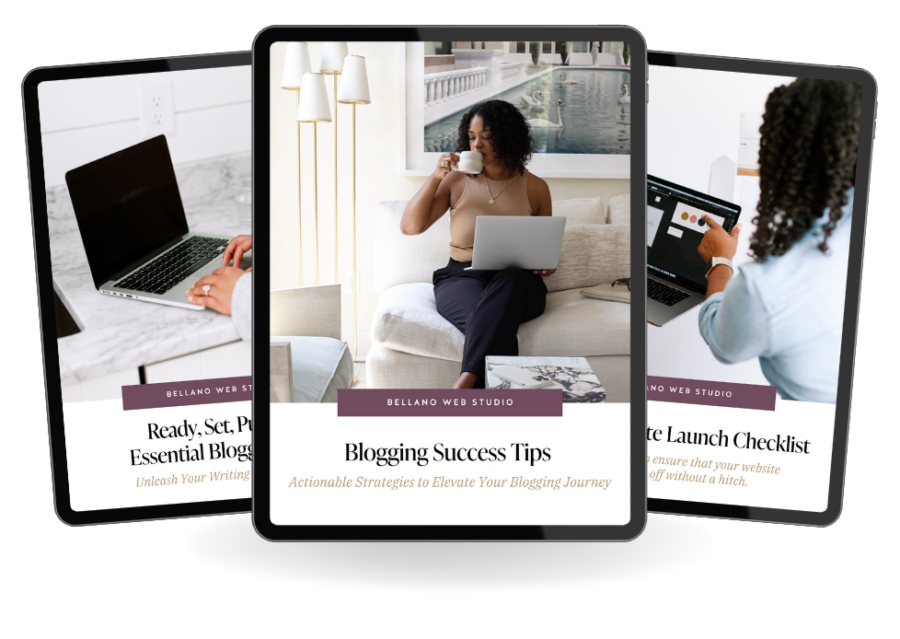
I put everything from this post into The Next Chapter Website Starter Kit, a free printable with fill-in-the-blank worksheets and a launch checklist. Stick it on the fridge and check things off as you go!
Frequently asked questions
Do I really need a website if I’m on Instagram?
Yes! Social media is like renting a booth at someone else’s market. They make the rules, and they can change them (or close your account) at any time. Your website is your own shop. Nobody can shut the doors on you, and it’s where people go to check that you’re legit.
How long does it take to build a small business website?
A DIY website can take anywhere from a few weekends to a few months, depending on how much tech wrangling you’re up for. Working with a designer often takes a few weeks once your content is ready. Having your goodies gathered (Step 3!) is the biggest thing that speeds it up.
Should I buy my domain before my website is ready?
Absolutely. Domains are inexpensive, and good ones disappear fast. Buy it now, register it in your own name, and park it until you’re ready.
PS. I like GoDaddy!
What pages does a small business website need?
Most small businesses do beautifully with three to five pages: a homepage, an about page, a services or shop page, and a contact page. You can always add more as you grow.
Do I need to know how to code?
Nope! Today’s website builders and WordPress themes like Kadence mean you never have to touch code. And if you hire a designer, they handle all the techy stuff for you.
Should I build my website myself or hire a web designer?
It depends on your budget, your time, and your patience for tech. DIY saves money but costs time. A designer costs more upfront but gives you a professional site faster. My website cost breakdown video walks you through how to decide.
Would you rather have someone build it for you?
You’ve got your main job, your domain, and your goodies. That’s the hard part! If you’d rather skip the tech and hand off the rest, I’d love to help.
I’ll take care of the design, the setup, and all the techy bits, so you can get back to running your business. You’ll work directly with me from start to finish, and you’ll end up with a website you’re genuinely excited to share.
Not sure which option is right for you? Tell me about your business, and I’ll point you to the best fit.